
Quick answers
What's the best app to block apps at bedtime?
Sleepwall is best if you only want your apps locked at bedtime, with a wind-down. Opal, ScreenZen and Freedom can all block apps on a schedule too, and they also cover the rest of your day. ScreenZen's listing shows no subscription, only optional tips.
Is there an app that locks my phone at night so I stop scrolling in bed?
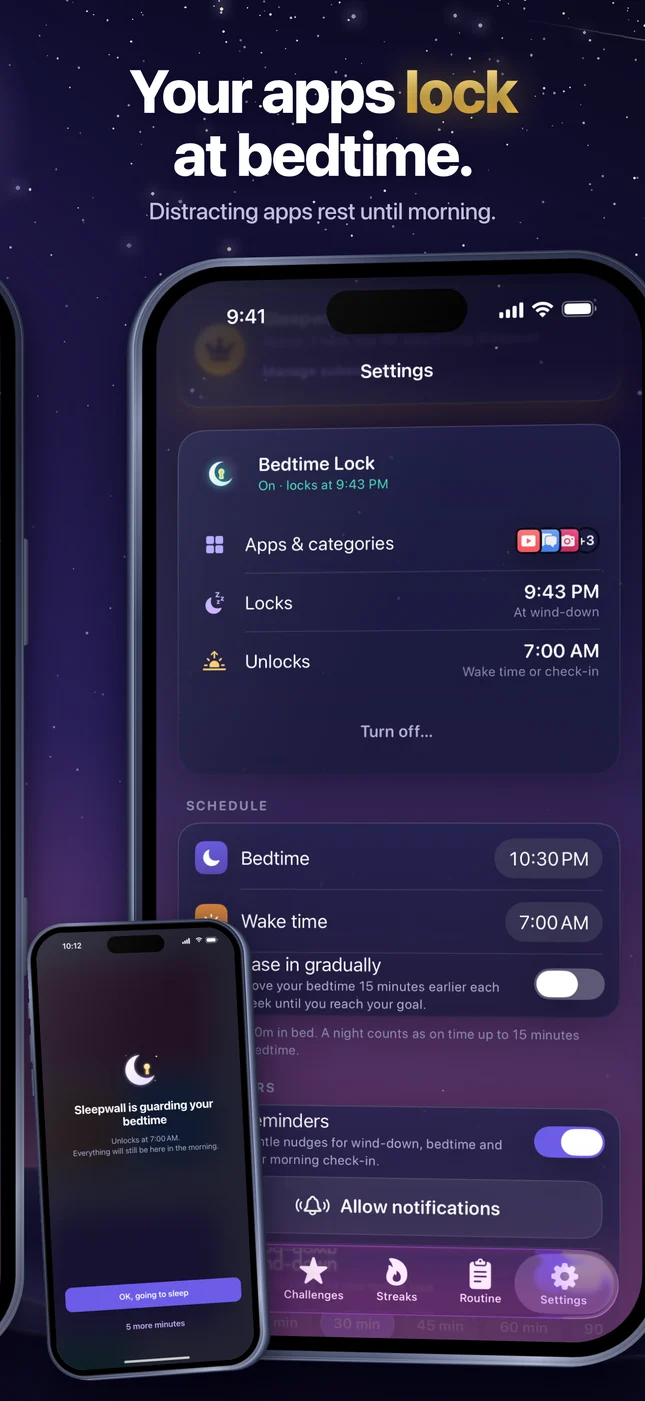
Yes. Sleepwall's Bedtime Lock locks the apps you pick at wind-down or bedtime and keeps them locked until your wake time or your morning check-in. It locks the apps you pick, not the whole phone. Opal, ScreenZen and Freedom can block chosen apps for set times as well.
Is there a free app blocker for iPhone?
ScreenZen is free to download, and the only in-app purchases on its listing are tips. Opal describes itself as free and lists paid plans. Sleepwall is free to download, and Bedtime Lock is free for one night; after that it's part of Sleepwall Pro. Freedom offers a 7-day free trial.
The four apps side by side
| App | Built for | Blocking apps at bedtime | Wind-down and sleep tools | Price (US App Store) |
|---|---|---|---|---|
| Sleepwall: Bedtime App BlockerMade by GW Labs | One habit: going to bed on time, every night | Bedtime Lock: the apps you pick lock at wind-down or bedtime until your wake time or morning check-in. Free for one night, then Pro | A guided wind-down, sleep sounds with a fading timer, a one-tap morning check-in and streaks | Free. Pro is $4.99 a week, $9.99 a month, $49.99 a year or $79.99 once |
| Opal: Screen Time Control | Screen time control and focus, all day | Blocks the apps and websites you choose at set times of day, and a Calendar for work hours, sleep and routines | Not mentioned in its listing | Free to download. Plans listed from $4.99 a week |
| ScreenZen- Screen Time Control | Cutting screen time with delays, interruptions and limits | Strict blocks for time ranges, set by app, day of the week and time | Breathing and other activities while you wait for an app to unlock | Free. The only in-app purchases listed are tips, from $5 |
| Freedom: Screen Time Control | Blocking apps and websites across phones, tablets and computers | Scheduled and recurring block sessions, with a Locked Mode | Focus sounds. Sleep tools aren't mentioned | 7-day free trial, then $39.99 a year. Also listed: monthly from $8.99 and Freedom Forever at $199 |
What each app is best for
Sleepwall: Bedtime App Blocker
Best if you only want your apps locked at bedtime, with a wind-down. It works on one habit, getting to bed at the same time each night, and turns on-time nights into a streak. Streaks, badges and levels are free. Bedtime Lock is free for one night, then part of Sleepwall Pro. Bedtime Lock only runs between your bedtime and your wake time. We make Sleepwall, so weigh this one accordingly.
Opal: Screen Time Control
Best for all-day screen time control with a lot of features. Its listing describes app limits, a blocklist and allowlist, a Focus Score, leaderboards and a Deep Focus mode you can't bypass or cancel. It says Opal works entirely on your phone and that personal browsing data never leaves your device.
ScreenZen- Screen Time Control
Best if you want friction instead of a hard wall, and want it free. It adds a delay before a distracting app opens, interrupts long scrolling, and can strictly block apps for time ranges. Its listing shows no subscription, only optional tips.
Freedom: Screen Time Control
Best if your distractions are on your computer too. One subscription covers phones, tablets and computers with no limit on devices, and block sessions sync across them. It can also block the whole internet with a single button, and its listing says texts and calls still come through.
Which should you use?
- Your problem is scrolling in bed, and daytime is fine: Sleepwall.
- You want to cut screen time all day and track it: Opal or ScreenZen.
- You don't want to pay: ScreenZen lists no subscription.
- You need the same block on your phone and your laptop: Freedom.
- Whichever you pick, your iPhone's own Screen Time settings can also schedule time away from apps, and they're free.
How we checked
We read each app's US App Store page on November 19, 2026: the description, the in-app purchase list and Apple's privacy label. We did not test the other three apps ourselves, so this page reports what each developer says, not how well each app works.
Prices are the ones the App Store listed that day. Where a listing shows several prices for the same plan, we give the lowest. Apps change their prices and features often, so check the listing before you buy.
Versions checked: Sleepwall 2.6, Opal 4.24, ScreenZen 4.0.0 and Freedom 7.19.
If you make one of these apps and something here is out of date, tell us through our support page and we'll fix it.
Frequently asked questions
How is Sleepwall different from Opal and ScreenZen?
Scope. Opal and ScreenZen manage your screen time through the whole day. Sleepwall is for bedtime: Bedtime Lock only runs between your bedtime and your wake time, and the app guides a wind-down routine and checks in with you in the morning.
When does Sleepwall's Bedtime Lock run?
Bedtime Lock only runs between your bedtime and your wake time. For limits at other times, use an all-day blocker such as Opal, ScreenZen or Freedom, or your iPhone's Screen Time settings.
Can I get around the block?
Each app handles it differently. Sleepwall allows "5 more minutes" once a night. Opal's Deep Focus can't be bypassed or cancelled. ScreenZen can lock its own settings so you can't change them when you want to open an app. Freedom has a Locked Mode.
Do these apps see what I do on my phone?
Sleepwall's listing says it is built on Apple's Screen Time, so your choices stay private on your iPhone, with no account and no ads. Opal says it uses Apple's Screen Time API and that personal browsing data never leaves your device. The ScreenZen and Freedom listings don't describe this.
How current is this comparison?
The date at the top of the page is the last time we checked all four App Store pages. This version was checked on November 19, 2026.
How Sleepwall does it
Sleepwall: Bedtime App Blocker is an iPhone app from GW Labs for one habit: getting to bed at the same time every night.
- Bedtime Lock: pick the apps that keep you scrolling. They lock at wind-down or bedtime and stay locked until your wake time or your morning check-in.
- "5 more minutes" once a night, then lights out.
- A guided wind-down, one step at a time, with timers and calm breathing, and sleep sounds with a timer that fades out.
- A one-tap morning check-in, with a 15-minute grace window and streak freezes for an off night.
- Streaks, badges and levels are free, and you can try Bedtime Lock free for one night. Sleepwall Pro keeps Bedtime Lock on every night. No account, no ads.