Skip to content
Free AI Snapshot
MultiPlant AI Scheduler app icon
Smart care. Healthy plants.

MultiPlant AI Scheduler: Plant Care & Watering

MultiPlant AI Scheduler is a plant care app for iPhone that identifies a plant from a photo and sets a watering reminder for every plant in your collection. It's for indoor gardeners with more plants than they can track from memory, and anyone who wants to identify a plant or check a sick one from a photo.

Download on the App Store

Updated

Quick answers

What's the best app for plant watering reminders?

One that keeps each plant on its own schedule and works offline. MultiPlant AI Scheduler gives every plant its own watering interval, counts down to its next watering on a dashboard, can adjust intervals by season, and sends reminders as local notifications that fire even when you're offline. You can track up to 3 plants for free.

How do I identify a plant from a photo?

Snap a photo in MultiPlant AI Scheduler and AI suggests the species and a default watering schedule you can adjust. Identification uses an on-device houseplant model together with the Plant.id service; that one photo is sent securely to Plant.id only to generate the result.

How often should I water my houseplants?

It depends on the plant, the pot, the light and the season, so no single rule fits every plant. MultiPlant AI Scheduler suggests a starting schedule when it identifies a plant, lets you set each plant's own interval, and Seasonal Auto-Adjust shifts it so plants are watered a little less in the cooler months and more in the growing season.

Your whole garden, on schedule.

How it works

  1. Add each plant — snap a photo for an instant AI species match, or add it by hand — then set its room and watering interval, and let Seasonal Auto-Adjust tune the schedule if you want.
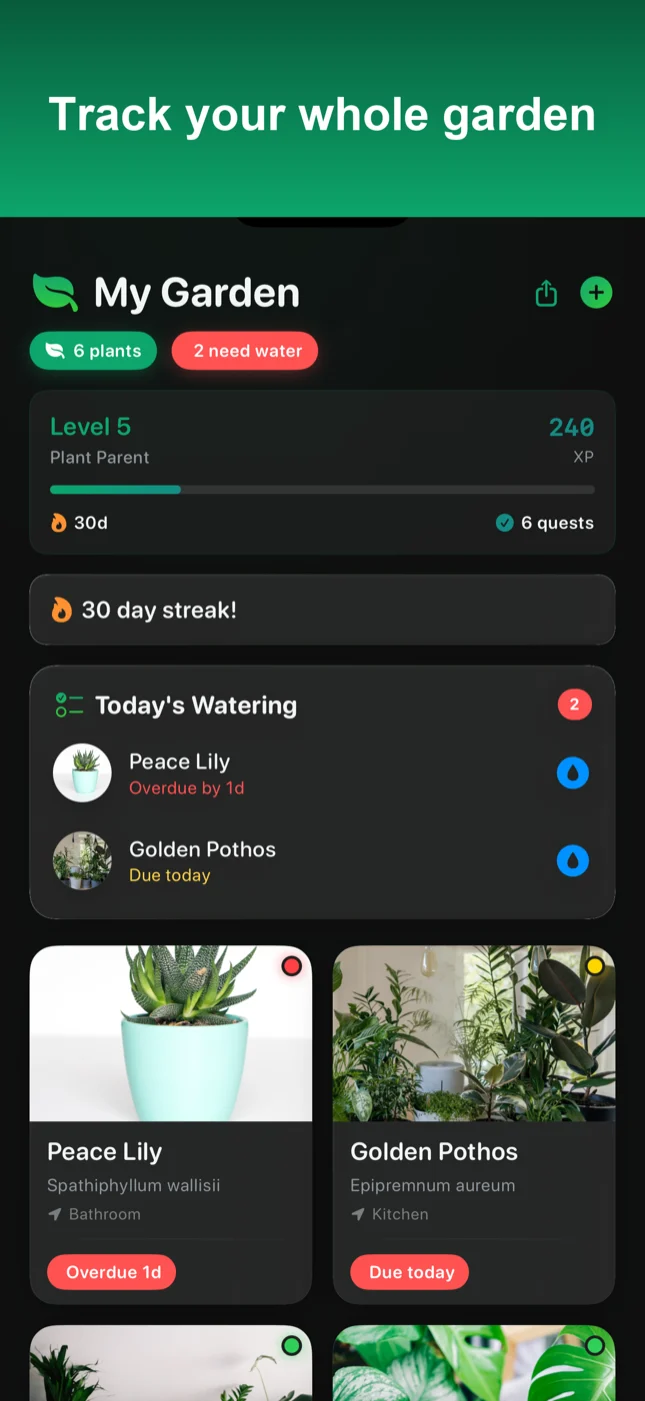
  2. MultiPlant builds a dashboard of your whole collection, counts down to each plant's next watering, and sends reminders that work offline so nothing is missed.
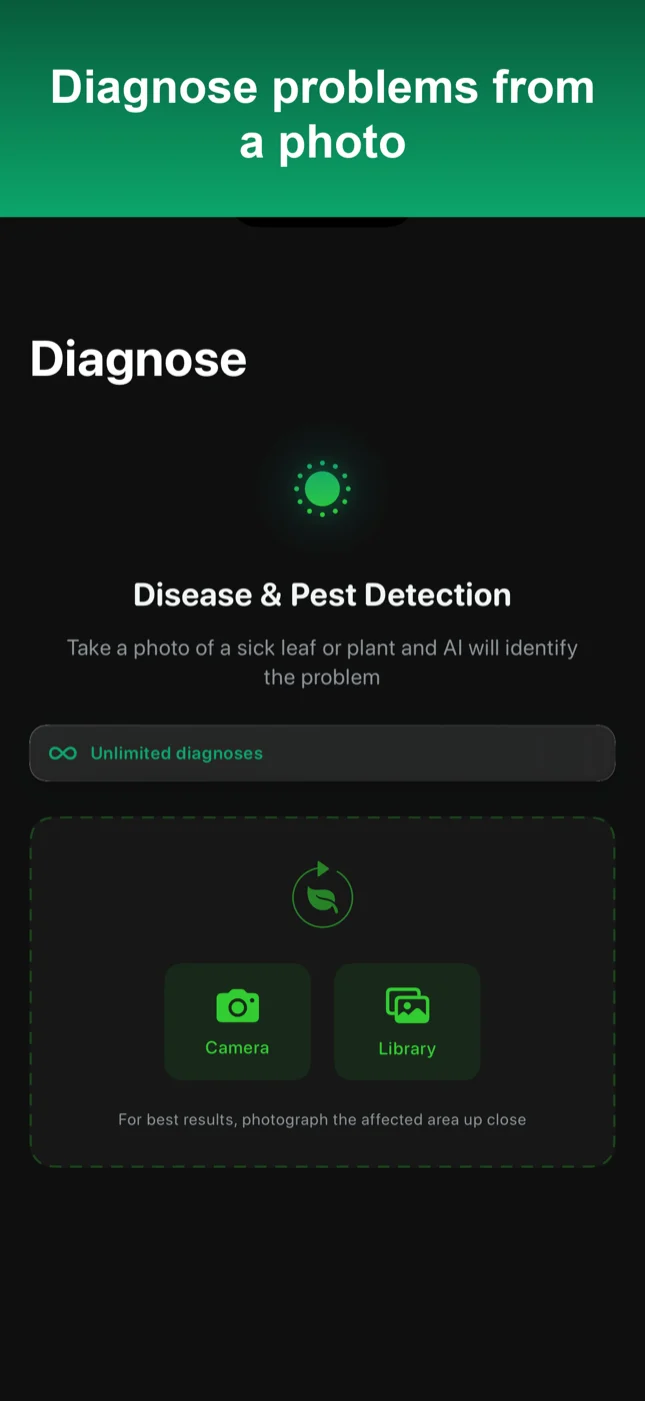
  3. When a plant looks unwell, photograph the affected leaf for an AI disease and pest diagnosis, log the care you give, and track each plant's progress in a photo growth timeline.

Features

  • AI plant identification from a photo, with a suggested default watering schedule (uses an on-device houseplant model together with the Plant.id service)
  • AI disease and pest diagnosis from a photo (Plant.id Health Assessment)
  • Multi-plant dashboard grid showing each plant's watering status: due today, overdue or upcoming
  • Smart watering reminders with custom intervals, delivered as local notifications that work offline
  • Seasonal Auto-Adjust that shifts each plant's watering interval with the season
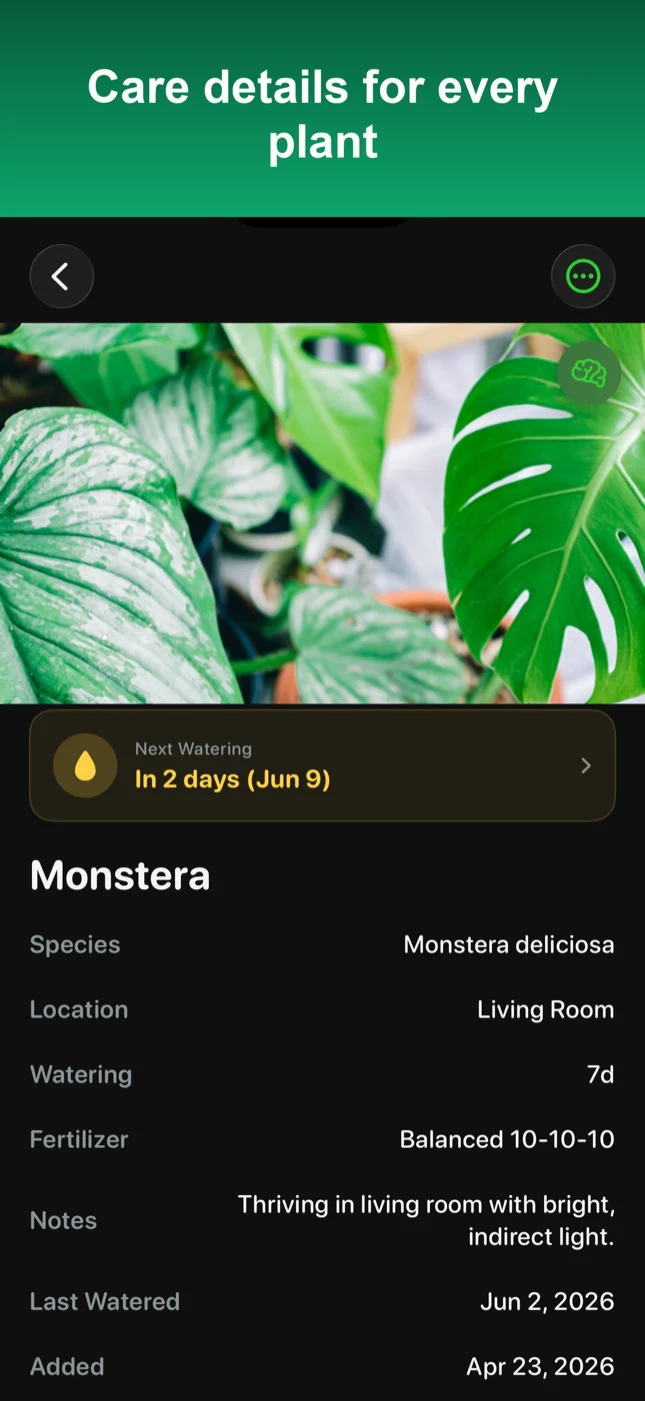
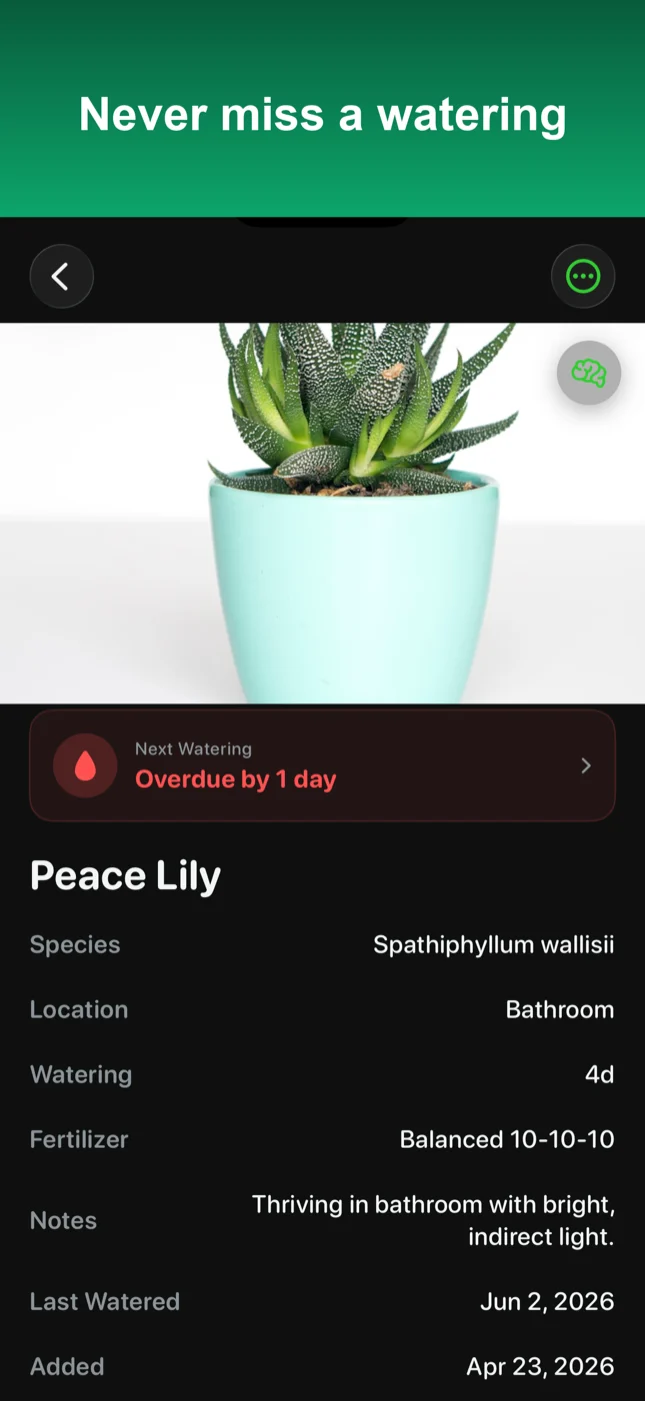
  • Per-plant care details: species, room, watering interval, fertilizer, notes, last watered and next watering date
  • Photo growth timeline for every plant
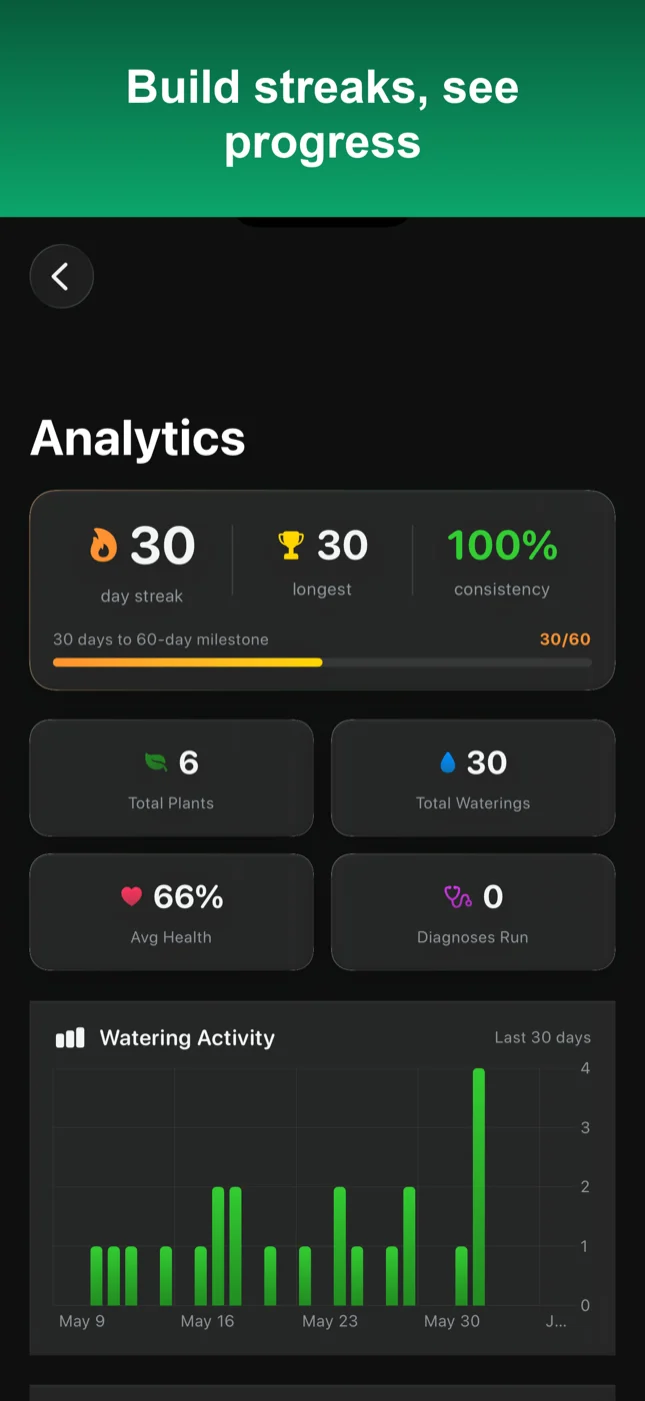
  • Analytics: current and longest watering streak, consistency, total plants, total waterings, average health and a 30-day watering activity chart
  • Quests, streaks, XP, levels and badges to keep plant care consistent
  • Home Screen widgets (small and medium) showing which plants need water
  • CSV export of your plants and care logs
  • Available in English, Dutch, French, German, Italian, Japanese, Portuguese, Spanish and Swedish

Set your first watering reminder today.

Download on the App Store

Who it's for

People who want a houseplant watering reminder or plant care app to keep a whole collection alive; people who want to identify a plant from a photo or diagnose a sick plant; indoor gardeners with more plants than they can track from memory; and anyone who stays consistent with streaks, levels and badges.

Privacy

MultiPlant AI Scheduler has no account and no sign-up. Your plants, care logs and photos are stored on your iPhone, not on a MultiPlant server, and the app has no cloud sync. Versions without a “Share anonymous usage stats” switch in Settings have no usage analytics; from the version whose Settings include that switch, MultiPlant sends the anonymous usage statistics described in its privacy policy.

When you use AI plant identification or disease diagnosis, that one photo is sent securely to the app's AI provider (Plant.id) only to generate a result; no other plant data or photos leave your device. Purchases are handled by Apple, and the app uses RevenueCat to confirm a Premium purchase.

Languages

English, Dutch, French, German, Italian, Japanese, Portuguese, Spanish and Swedish.

Price

MultiPlant AI Scheduler is free to download. On the free plan you can track up to 3 plants and try AI plant identification and disease diagnosis (3 free diagnoses). MultiPlant Premium unlocks unlimited plants, unlimited AI identification and disease diagnosis, full growth analytics and CSV export:

  • Lifetime$49.99, one-time purchase

Prices are in US dollars and vary by country. Subscriptions renew automatically unless canceled at least 24 hours before the end of the period, and you can manage or cancel them in your Apple ID settings.

Frequently asked questions

How does MultiPlant identify my plants?

Snap a photo and the app matches the species with AI and suggests a default watering schedule you can adjust. Identification uses an on-device houseplant model together with the Plant.id service.

Can it tell me what's wrong with a sick plant?

Yes. Photograph the affected leaf or plant and the AI disease and pest diagnosis, powered by Plant.id, suggests what the problem may be. The free plan includes 3 diagnoses; Premium is unlimited.

Do the watering reminders work without internet?

Yes. Reminders are scheduled as local notifications on your iPhone, so they fire on time even when you're offline.

What is Seasonal Auto-Adjust?

When it's on, MultiPlant shifts a plant's watering interval with the season automatically, so plants are watered a little less in the cooler months and more during the growing season.

How many plants can I track for free?

Up to 3 plants, plus 3 free AI diagnoses. MultiPlant Premium removes the limit, with unlimited plants and unlimited AI identification and diagnosis.

Do I need an account?

No. There's no sign-up, and your plants, photos and care logs stay on your iPhone with no cloud sync.

Which devices does it work on?

iPhone and iPad running iOS 18 or later, with Home Screen widgets that show which plants need water.

Which languages is it available in?

English, Dutch, French, German, Italian, Japanese, Portuguese, Spanish and Swedish.
Is there a plant identifier app that also sets a watering schedule?

Yes. Take a photo in MultiPlant AI Scheduler and it suggests the species and a starting watering schedule you can adjust. Identification uses an on-device houseplant model together with the Plant.id service. That one photo is sent securely to Plant.id only to get the result.

Is there an app to identify plant diseases?

Photograph the affected leaf and MultiPlant's AI diagnosis, powered by Plant.id, suggests what the disease or pest may be. The free plan includes 3 diagnoses. Premium is unlimited.

When should I water my plants?

It depends on the plant, the pot, the light and the season. MultiPlant gives each plant its own interval and counts down to its next watering on a dashboard, and Seasonal Auto-Adjust waters a little less in cooler months and more in the growing season.

Is there a free houseplant reminder app?

MultiPlant tracks up to 3 plants free, each on its own schedule. Reminders are local notifications on your iPhone, so they fire on time even when you're offline.

Ready to keep every plant alive?

Download on the App Store

Already using MultiPlant AI Scheduler? Leave a review on the App Store