Skip to content
Free AI Snapshot
CalmAnchor app icon
Calm, one step at a time

CalmAnchor: Panic Attack Help

CalmAnchor is a panic attack help app for iPhone that guides you through 5-4-3-2-1 grounding and slow breathing, one tap from your Lock Screen, and helps you track your mood and anxiety between episodes. It's for people who get panic or anxiety attacks and want a calm, guided routine in the moment; it's a self-help tool, not a substitute for professional care.

Download on the App Store

Updated

Quick answers

Is there an app for panic attacks?

Yes. CalmAnchor is a self-help app that walks you through 5-4-3-2-1 grounding, then six slow breaths (in for 4 seconds, hold for 4, out for 4), then calming affirmations, starting from a Lock Screen widget, the Action Button, Control Center, Siri or Apple Watch. It isn't a substitute for professional medical advice; if you're in crisis, call or text 988 (US) or your local emergency number.

What's the best app for grounding techniques?

It depends how you like to be guided. CalmAnchor guides the 5-4-3-2-1 method step by step and has a free library of other techniques, including box breathing, 4-7-8 breathing, a body scan and progressive muscle relaxation. Panic SOS, the widgets and the techniques library are free, with no account and no ads.

Is there an anxiety tracker app for iPhone?

CalmAnchor includes one: quick mood and anxiety check-ins on a 1–10 scale, a calm streak and calendar, and, with CalmAnchor Premium, a journal, progress analytics and a 30-day plan built around your triggers. Your entries stay on your iPhone.

What's a good box breathing app for iPhone?

CalmAnchor has box breathing in its free library of techniques, alongside 4-7-8 breathing, a body scan, progressive muscle relaxation and 5-4-3-2-1 grounding. Its Panic SOS guides six slow breaths from a Lock Screen widget, and on Apple Watch you can feel each breath through haptics. No account, no ads.

How it works

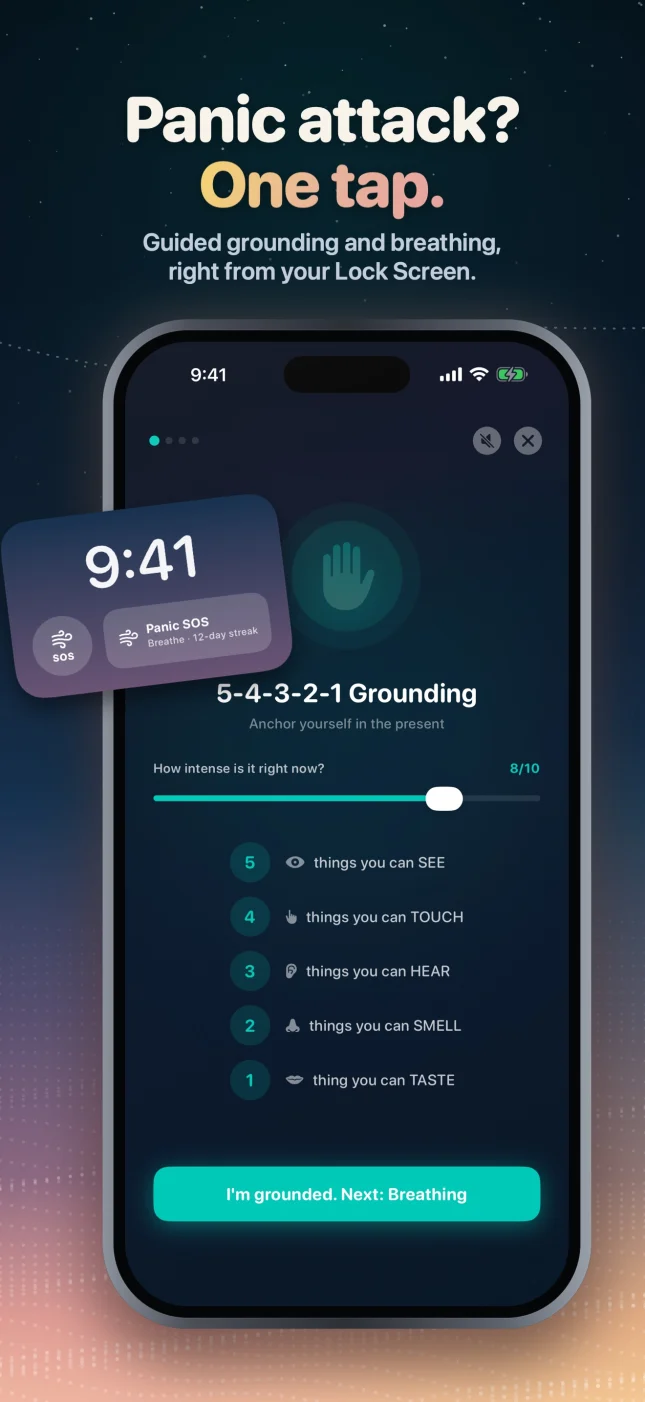
  1. When panic hits, tap the Panic SOS widget on your Lock Screen or the SOS button in the app. Rate how intense it feels, then name 5 things you can see, 4 you can touch, 3 you can hear, 2 you can smell and 1 you can taste.
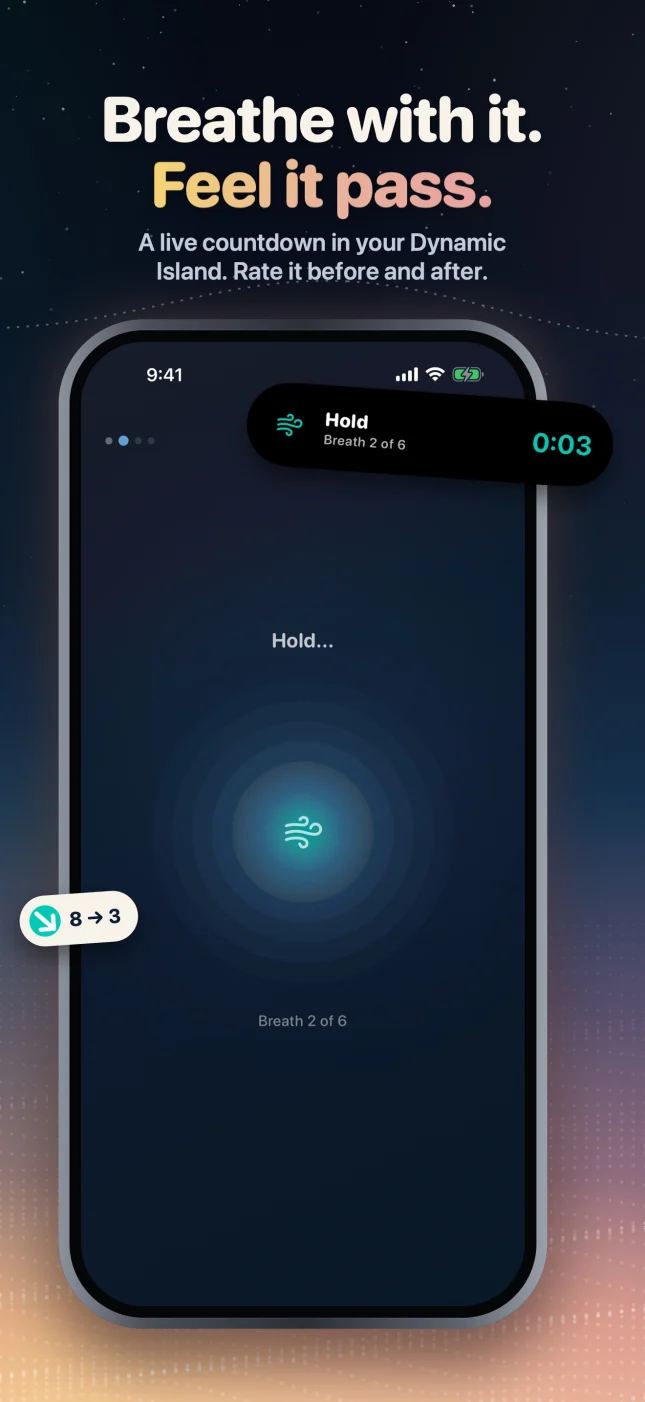
  2. Breathe along for six slow breaths: in for 4 seconds, hold for 4, out for 4. A live countdown runs on your Lock Screen and in the Dynamic Island. Calming affirmations follow, then you rate how you feel now.
  3. Between episodes, check in on your mood and anxiety, keep your calm streak going, and with Premium follow a 30-day healing plan built around your triggers and see your anxiety patterns change over time.

Features

Free

  • Panic SOS: 5-4-3-2-1 grounding, six guided breaths, calming affirmations, and a before-and-after intensity check
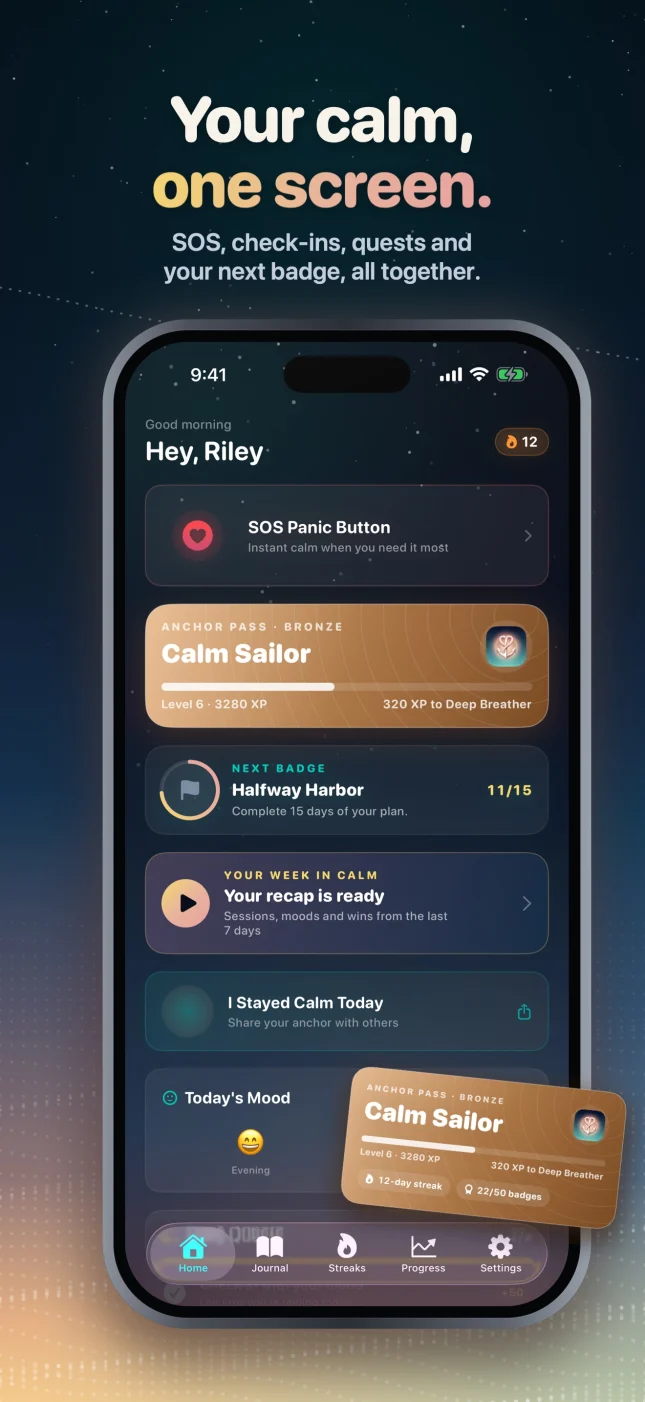
  • Panic SOS Lock Screen widget that opens straight into a guided session
  • Live breathing countdown on the Lock Screen and in the Dynamic Island
  • Home Screen widget with your streak, today's mood and a daily affirmation
  • Quick mood and anxiety check-ins on a 1–10 scale
  • Calm streak and calendar, with a grace day that keeps your streak alive after one missed day (once every 30 days)
  • Coping techniques library: 4-7-8 breathing, box breathing, 5-4-3-2-1 grounding, body scan, thought record, progressive muscle relaxation, the cold water technique and cognitive defusion
  • Crisis helplines in the app for the country your iPhone is set to (20 countries, including the 988 Suicide & Crisis Lifeline in the US), with your local emergency number
  • A daily reminder at the time you choose
  • An "I Stayed Calm Today" card you can share

Help from anywhere (free)

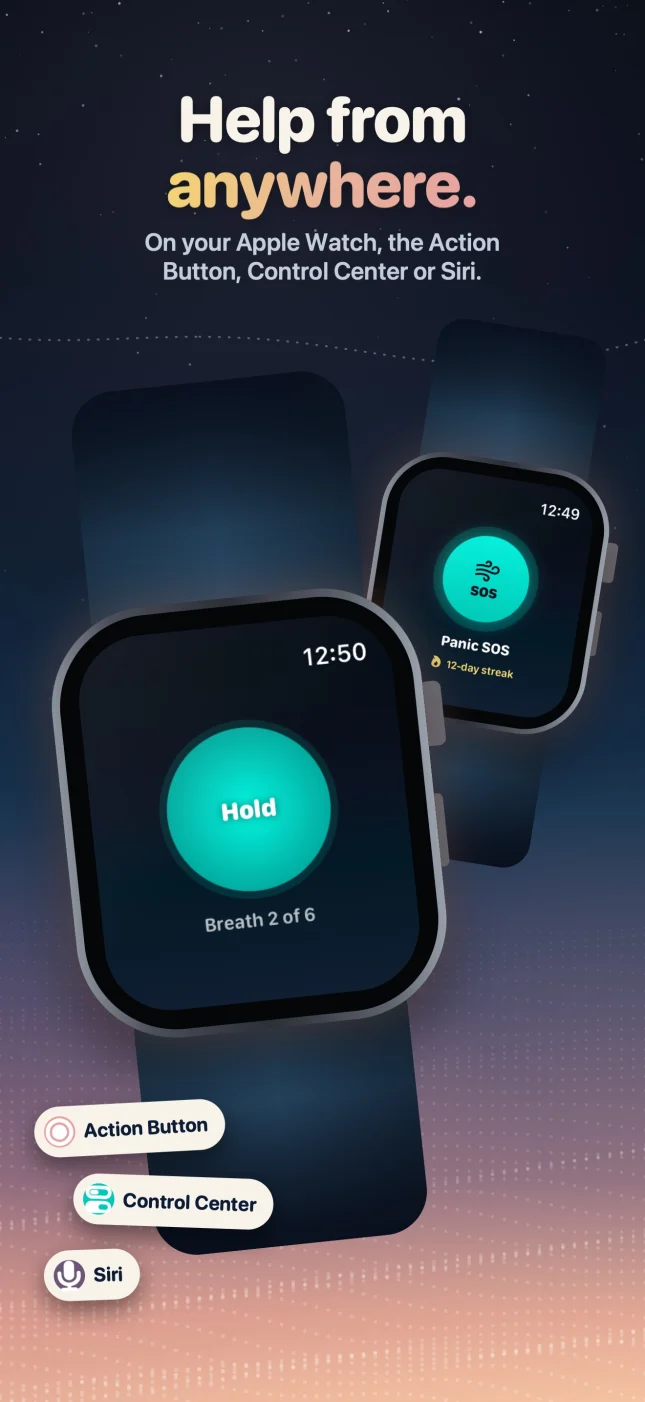
  • An Apple Watch app: Panic SOS on your wrist, with breaths you can feel
  • Start Panic SOS from the Action Button, Control Center, Siri or Spotlight
  • Haptic breathing: feel each breath with your eyes closed
  • Optional voice guidance through grounding and breathing
  • Optional Apple Health: mindful minutes, mood as State of Mind, and your heart rate before and after a session

Earn your calm rank (free)

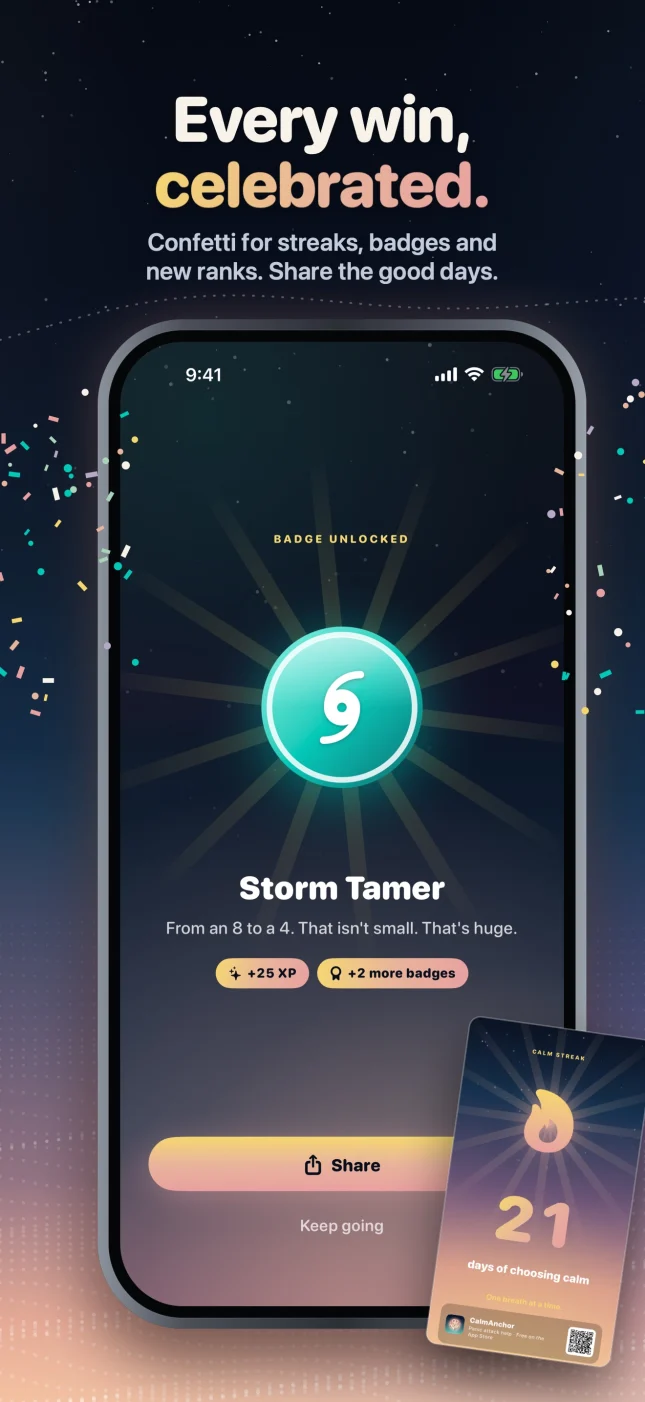
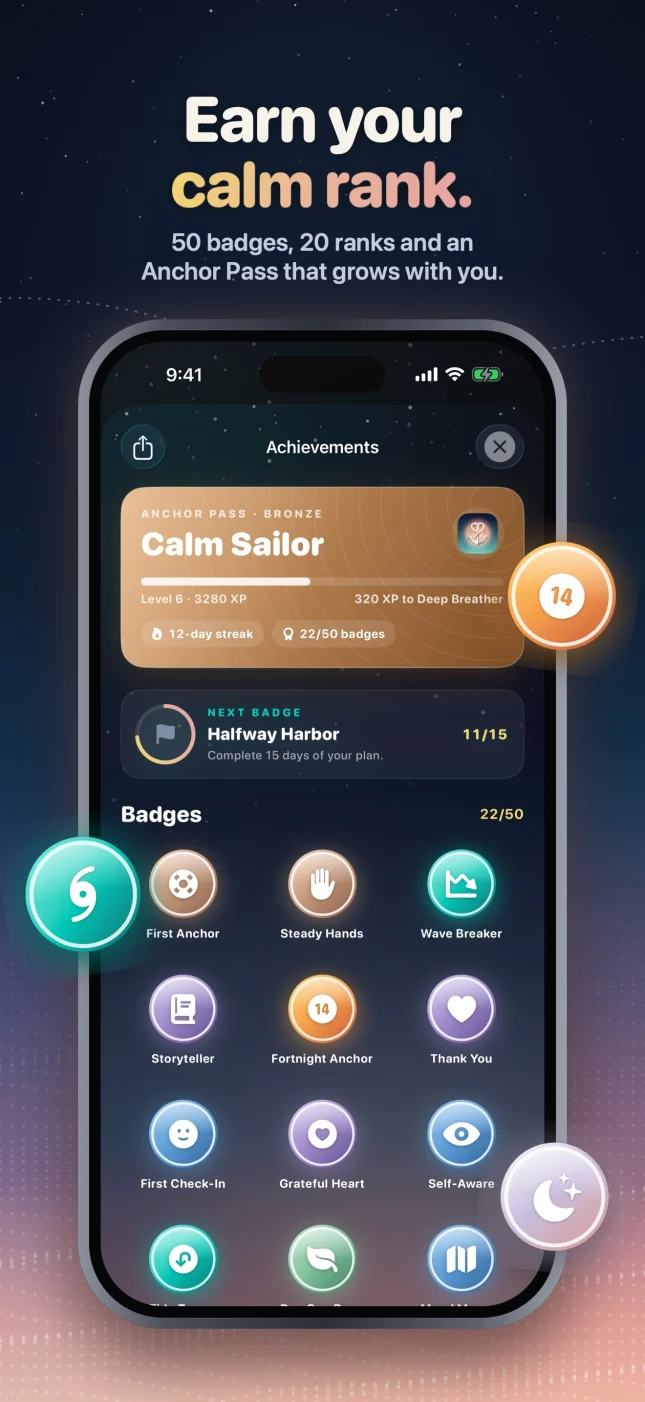
  • 50 badges to unlock, from First Anchor to secret ones like Night Watch
  • An Anchor Pass with 20 ranks, from First Breath to Zen Anchor, whose finish turns from Sea Glass to Pearl as you climb
  • Celebrations for streaks, badges and new ranks, with cards you can share
  • Daily quests and XP
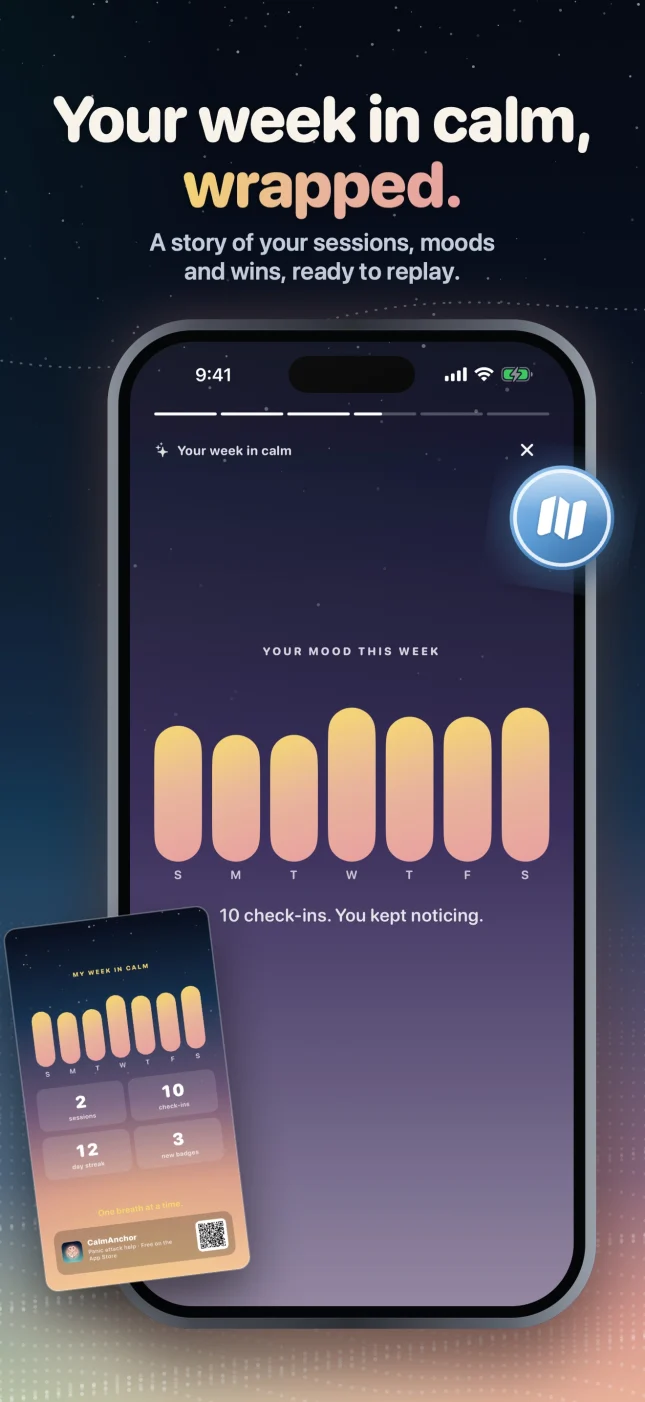
  • Your week in calm: a story recap of your sessions, moods and wins

CalmAnchor Premium

  • A personalized 30-day healing plan built around your triggers, such as work stress, social situations, health worries, money, relationships, sleep, uncertainty, perfectionism, crowds and loneliness
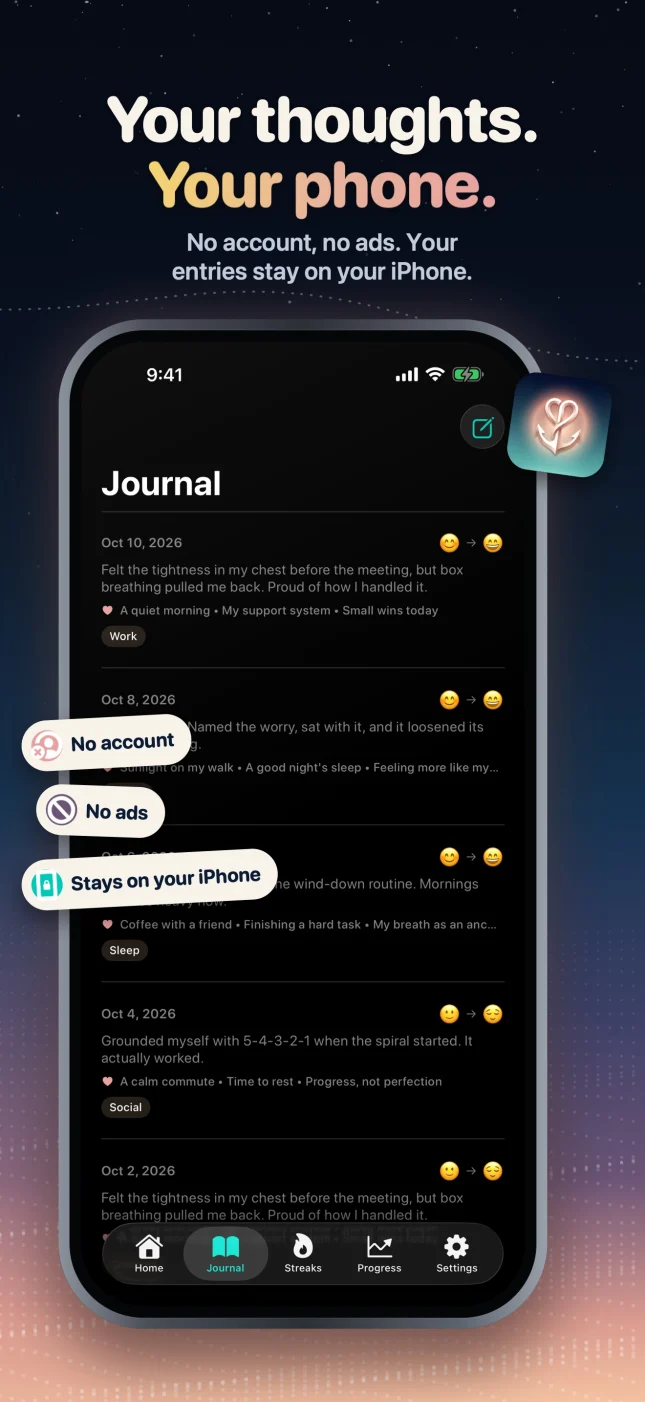
  • A guided journal: mood before and after, triggers, three gratitudes, a daily affirmation and free writing
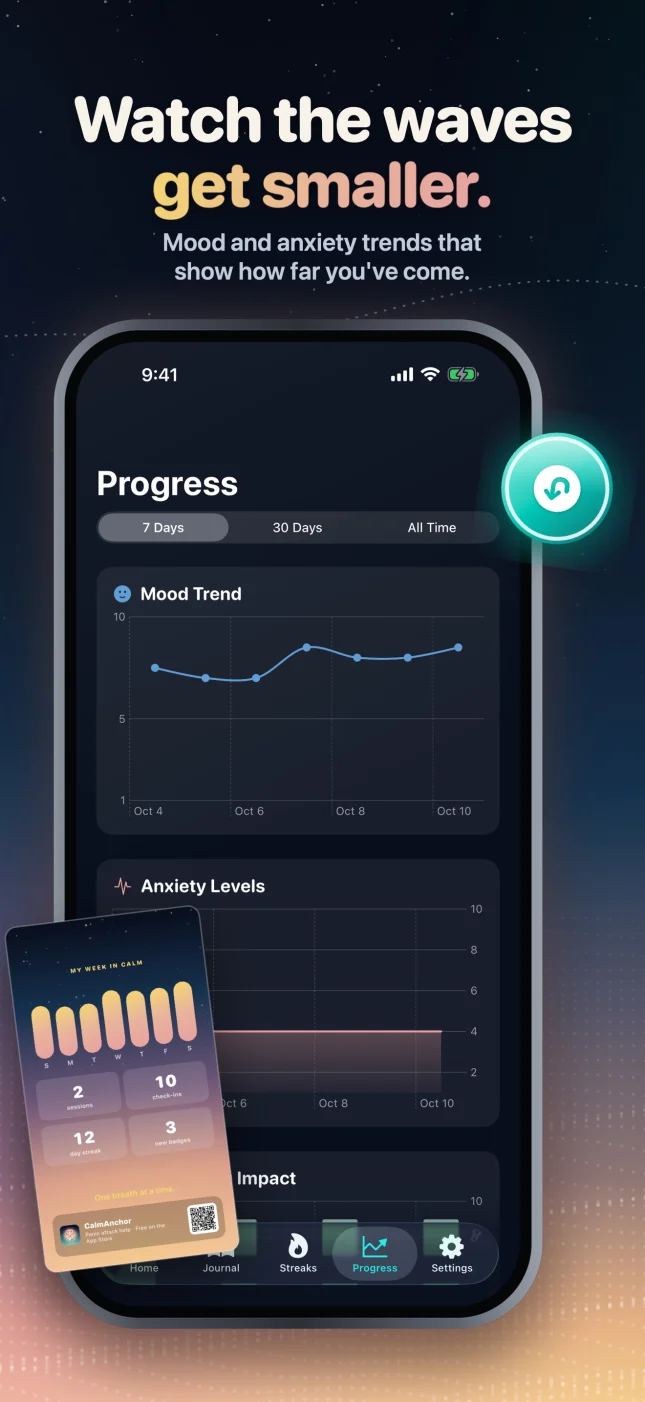
  • Progress analytics: mood trend, anxiety levels and journaling impact over 7 days, 30 days or all time

Put calm one tap from your Lock Screen.

Download on the App Store

Who it's for

People who get panic attacks or anxiety attacks and want help in the moment; anyone looking for grounding techniques, the 5-4-3-2-1 method or breathing exercises for anxiety; and people who want to track their mood and anxiety triggers or keep an anxiety journal.

CalmAnchor is a self-help and wellness tool and is not a substitute for professional medical advice, diagnosis or treatment. If you're in crisis, call or text 988 (US) or your local emergency number.

Privacy

Your journal, mood and panic entries stay on your iPhone. CalmAnchor has no account and no sign-up, and it shows no ads. The App Store privacy label lists purchase history and a device identifier, used to handle subscriptions and not linked to you.

From the version whose Settings include a “Share anonymous usage stats” switch, CalmAnchor also sends the anonymous usage statistics described in our privacy policy, which the label lists as Product Interaction, Other Diagnostic Data and Device ID (a one-way hashed identifier created on your device), all used for Analytics, not linked to you and not used for tracking.

If you turn on Apple Health in Settings, CalmAnchor also saves your sessions and mood check-ins to the Health app on your device; nothing is sent to us.

Languages

English, French, German, Japanese, Spanish, Portuguese (Brazil), Korean and Italian.

Price

CalmAnchor is free to download. Panic SOS, the widgets, mood check-ins, streaks and the coping techniques library are free. CalmAnchor Premium adds the 30-day healing plan, the journal and progress analytics:

  • Monthly$9.99 (free trial for eligible new subscribers)
  • Yearly$49.99 (free trial for eligible new subscribers)
  • Lifetime$99.99, one-time purchase

Prices are in US dollars and vary by country. Subscriptions renew automatically unless canceled at least 24 hours before the end of the period, and you can manage or cancel them in your Apple ID settings.

Frequently asked questions

How does CalmAnchor help during a panic attack?

It walks you through 5-4-3-2-1 grounding, then six slow breaths (in for 4 seconds, hold for 4, out for 4), then calming affirmations. You rate how intense it feels before and after.

What is the 5-4-3-2-1 grounding technique?

You name 5 things you can see, 4 you can touch, 3 you can hear, 2 you can smell and 1 you can taste. Focusing on your senses brings your attention back to the present.

Can I open it from my Lock Screen?

Yes. Add the Panic SOS widget to your Lock Screen, and one tap opens a guided session. You can also start it from the Action Button, Control Center or Siri. While you breathe, a live countdown shows on the Lock Screen and in the Dynamic Island.

Is CalmAnchor free?

It's free to download, and Panic SOS, the widgets, mood check-ins and streaks are free. CalmAnchor Premium is available monthly, yearly or as a one-time lifetime purchase. Existing weekly subscribers keep their plan.

Does CalmAnchor have badges and streaks?

Yes. You can earn 50 badges and climb 20 ranks on your Anchor Pass, from First Breath to Zen Anchor. Your calm streak also has a grace day: it can survive one missed day, once every 30 days.

Does CalmAnchor work on Apple Watch?

Yes. The Apple Watch app starts Panic SOS from your wrist and guides six slow breaths with taps you can feel. Finished sessions count toward your streak and badges on your iPhone.

Does CalmAnchor work with Apple Health?

Yes, if you turn it on in Settings. It saves Panic SOS sessions as mindful minutes and mood check-ins as State of Mind, and can show your heart rate before and after a session.

Do I need an account?

No. There's no sign-up.

Is my journal private?

Yes. Your journal, mood and panic entries are stored on your iPhone. The App Store privacy label lists purchase history and a device identifier, used to handle purchases and not linked to you.

From the version whose Settings include a “Share anonymous usage stats” switch, CalmAnchor also sends the anonymous usage statistics described in our privacy policy, which the label lists as Product Interaction, Other Diagnostic Data and Device ID (a one-way hashed identifier created on your device), all used for Analytics, not linked to you and not used for tracking.

Is CalmAnchor a replacement for therapy?

No. It's a self-help and wellness tool and isn't a substitute for professional medical advice, diagnosis or treatment. If you're in crisis, call or text 988 (US) or your local emergency number.

Which devices and languages does it support?

iPhone with iOS 18 or later, with Lock Screen and Home Screen widgets, plus an Apple Watch app for watchOS 11 or later. It's available in English, French, German, Japanese, Spanish, Portuguese (Brazil), Korean and Italian.

Is there an app for anxiety attacks?

CalmAnchor is a self-help app for the moment anxiety or panic spikes. Panic SOS walks you through 5-4-3-2-1 grounding, six slow breaths and calming affirmations, and it starts from a Lock Screen widget, the Action Button, Control Center, Siri or Apple Watch. It isn't a substitute for professional care. In a crisis, call or text 988 (US) or your local emergency number.

Is there a 4-7-8 breathing app?

CalmAnchor's free library of techniques includes 4-7-8 breathing, alongside box breathing, a body scan, progressive muscle relaxation and 5-4-3-2-1 grounding. There's no account and no ads.

Is there a panic attack app for Apple Watch?

Yes. CalmAnchor's Apple Watch app starts Panic SOS from your wrist and guides six slow breaths with taps you can feel. Finished sessions count toward your streak and badges on your iPhone.

Is there a grounding app I can open from the Lock Screen?

Yes. Add CalmAnchor's Panic SOS widget to your Lock Screen and one tap opens a guided session. While you breathe, a countdown shows on the Lock Screen and in the Dynamic Island.

Is there a free anxiety app that works without a subscription?

In CalmAnchor, Panic SOS, the widgets, the techniques library, mood check-ins and streaks are free, with no account and no ads. CalmAnchor Premium is optional and adds a journal, progress analytics and a 30-day plan.


Ready for the next time anxiety hits?

Download on the App Store

Already using CalmAnchor? Leave a review on the App Store