
Quick answers
What should I write in a GLP-1 shot log?
For each shot: the date and time, the medication, the dose exactly as your label states it, and the injection site. Between shots: side effects with the day they showed up, your weight on a set schedule, and anything your prescriber asked you to track.
Why keep a shot log?
Shots that come days apart are easy to lose track of. A log tells you when the last one was, where it went and when the next is due. It also shows patterns you can't see from memory, such as which day side effects tend to appear.
Is there an app for logging GLP-1 shots?
Trough is an iPhone app for this. It logs semaglutide, tirzepatide, liraglutide and dulaglutide shots in two taps, with reminders, injection-site rotation, side effects and weight. The shot log is free with no time limit. Trough saves each dose exactly as you enter it and never suggests one. It isn't medical advice.
What a shot log is for
A log does three jobs.
- It remembers. When the last shot was, which site you used, when the next one is due.
- It shows patterns. Side effects that seem random can line up with a day after the shot once they're written down.
- It reports. A log covers the time between appointments.
The National Institute on Aging suggests bringing a list of everything you take, with the dose, to an appointment, and telling the doctor about recent changes in your medications and the effects they've had. A shot log is that list, kept as you go.
What to record for every shot
1. Date and time
Write it when you take the shot, not later. If a shot is late or missed, record that too. A log that shows its gaps is more useful than one that hides them.
2. The medication
Use the name on your label. If your medication is compounded, add the pharmacy, and note any time the pharmacy or the product changes.
3. The dose, exactly as prescribed
Copy the dose from your prescription or label, in the same unit. Don't convert it to another unit yourself.
The FDA says it has received reports of adverse events that may be related to dosing errors with compounded injectable semaglutide, including patients measuring incorrect doses. It encourages patients to ask their health care provider or compounder how to measure the intended dose.
A log records the dose. It doesn't check it. If anything about the number or the unit is unclear, ask your pharmacist before the shot.
4. The injection site
Write the body area and the side. As one example, MedlinePlus says semaglutide is injected in the upper arm, thigh or stomach area, with a different site for each injection. Your own medication's instructions come first. For the method, read how to keep an injection site rotation log.
5. A short note
Add anything that made this shot different: travel, a new pen or vial, a change your prescriber made. One line is enough.
What to record between shots
- Side effects. Write what it was, the day it showed up, how strong it felt on a simple 1 to 5 scale, and when it stopped. MedlinePlus lists nausea, vomiting, diarrhea, stomach pain and constipation among the possible side effects of semaglutide injection, and says to tell your doctor if they are severe or do not go away.
- Weight. Use the same scale at the same time of day, on a schedule you pick and keep. The log needs consistency more than frequency.
- Protein and water, if you've been given targets. Log against the targets your prescriber or dietitian set. This guide doesn't set any.
- Dose changes. Date every change your prescriber makes, so you always know how long you've been on the current dose.
- Supply. Note how many shots you have left and when the refill is due.
A sample week
Here is what one week can look like on paper. The dose line is left as words on purpose.
"Sat, 8:10 AM. Semaglutide. Dose: as on my label. Site: abdomen, left. Note: new pen."
"Sun: mild nausea in the evening, 2 of 5. Mon: nausea, 1 of 5. Tue to Fri: nothing to note."
"Fri: weight logged. 3 shots left. Refill due on the 28th."
That takes under a minute a day.
Paper, spreadsheet or app
- Paper works, and a notebook kept with your supplies is hard to forget. It can't remind you.
- A spreadsheet is flexible and easy to print. You build it yourself.
- An app can remind you when a shot is due and keep sites, side effects and weight in one place.
Whichever you choose, keep one log, not three. This is health information, so check where it's stored, whether it needs an account and whether you can export it.
Before an appointment
Pull one page from the log:
- Shot dates since your last visit, with any late or missed ones.
- Your current dose and the date you started it.
- Side effects, with the days they showed up.
- Your weight on the dates you logged it.
- Your questions, most important first.
When this is not the right tool
A log records what happened. It doesn't decide anything. Whether to change a dose, what to do about a late or missed shot, and whether a side effect is a problem are questions for your prescriber or pharmacist.
Some symptoms shouldn't wait for a log entry. MedlinePlus says some side effects of semaglutide injection can be serious, and that for those you should call your doctor immediately or get emergency medical treatment.
And if tracking your weight or your food starts to take over your day or your mood, track less and tell your prescriber.
Frequently asked questions
Do I need to log the injection site every time?
If you inject yourself, yes. It's the one detail people forget by the next shot. Writing the area and the side takes seconds and makes the next choice simple.
What unit should I write my dose in?
The unit on your prescription or label, copied exactly. Don't translate between milligrams, units and milliliters on your own. If anything is unclear, ask your pharmacist or prescriber before the shot.
What should I do if I miss a shot?
A log can't answer that. Follow the instructions that came with your medication, or ask your pharmacist or prescriber. Then record what happened and when, so the gap is on the record.
Does Trough tell me what dose to take?
No. Trough saves doses exactly as you enter them, in mg, mcg, units, IU, mL or clicks, and it never suggests one. Talk to your prescriber before changing anything.
Is Trough free?
It's free to download. The shot log, schedules and reminders, injection-site rotation, side effects, weight, protein and water are free with no time limit. Trough Pro adds estimated level charts, side-effect timing, supply and refills, the Doctor Report PDF and progress photos.

How Trough does it
Trough is an iPhone app from GW Labs: a private shot tracker for GLP-1 medications and TRT. It's a tracking tool, not a medical device, and it gives no medical advice.
- GLP-1 medications: semaglutide, tirzepatide, liraglutide and dulaglutide, including compounded medication.
- A shot log with your full history, schedules and reminders: every week, every few days, chosen weekdays or as needed.
- Doses saved exactly as you enter them. Trough never suggests a dose.
- Injection-site rotation with a suggested next site, across 6 under-the-skin sites for GLP-1 shots: abdomen, thigh and upper arm, left and right.
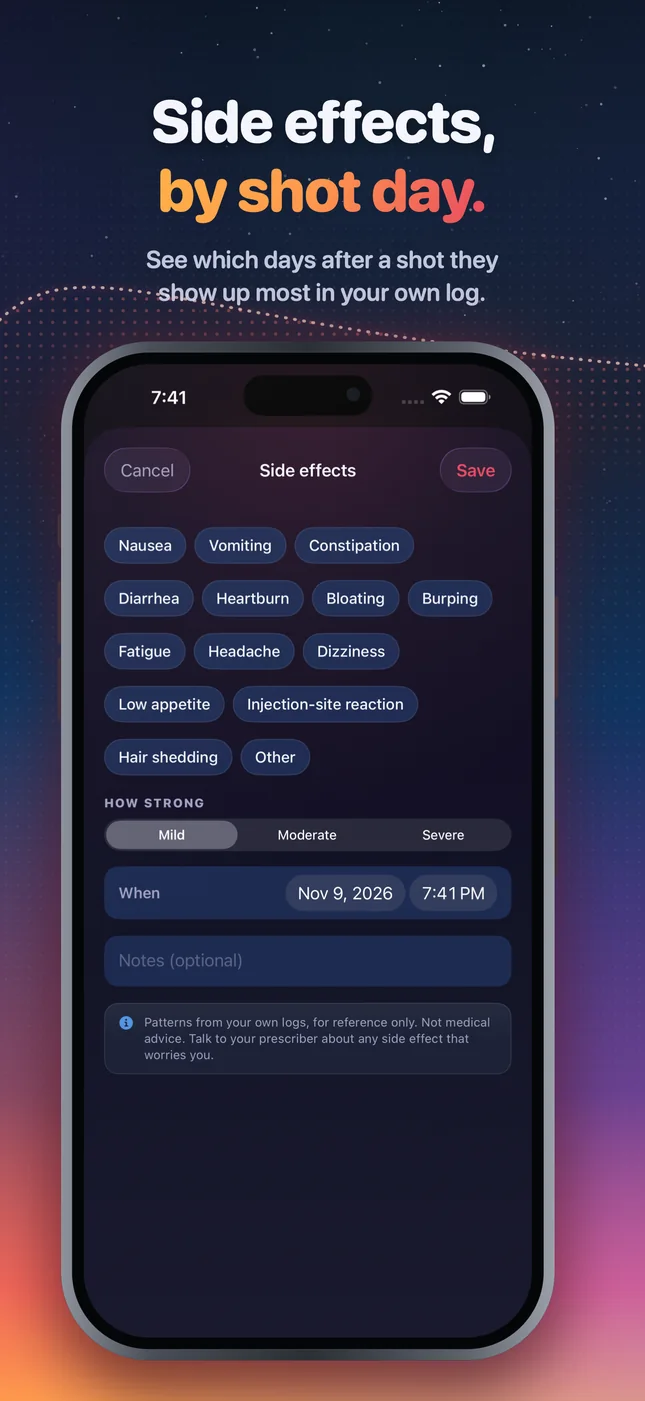
- Side effects, weight and body measurements, plus protein and water with targets you set.
- Days on your current dose, and your dose history.
- Log faster with Siri ("Log my shot"), the Control Center button, the Next shot widget or the Apple Watch app.
- Private: no account, no sign-up, no ads. Your log is stored on your iPhone, not on a Trough server. Anonymous usage counts, never doses, notes or health data, can be turned off in Settings.
- Free with no time limit: everything above, plus import and export. Trough Pro adds an estimated level chart, always labeled "Estimated", side-effect timing, supply and refills, a Doctor Report PDF and progress photos.
- Trough Pro is Annual or Monthly, each with a 7-day free trial for eligible new subscribers, or a one-time Lifetime purchase. Your logged history is never locked, even if you stop paying.